Documentation

/

GoMarble Pricing Plans

MCP Server

What is GoMarble MCP

For Developers

Data Security

Setup Guide

Setup Instructions

Claude.AI

Claude Desktop

Cursor

N8N

Claude Code

Troubleshooting

Tools

Shopify

Meta Ads

Google Ads

Google Analytics

Snowflake

Support

Contact us

License

Limits

N8N

N8N

2

min read

Sankalp

Using with N8N
  1. Navigate to apps.gomarble.ai and login 

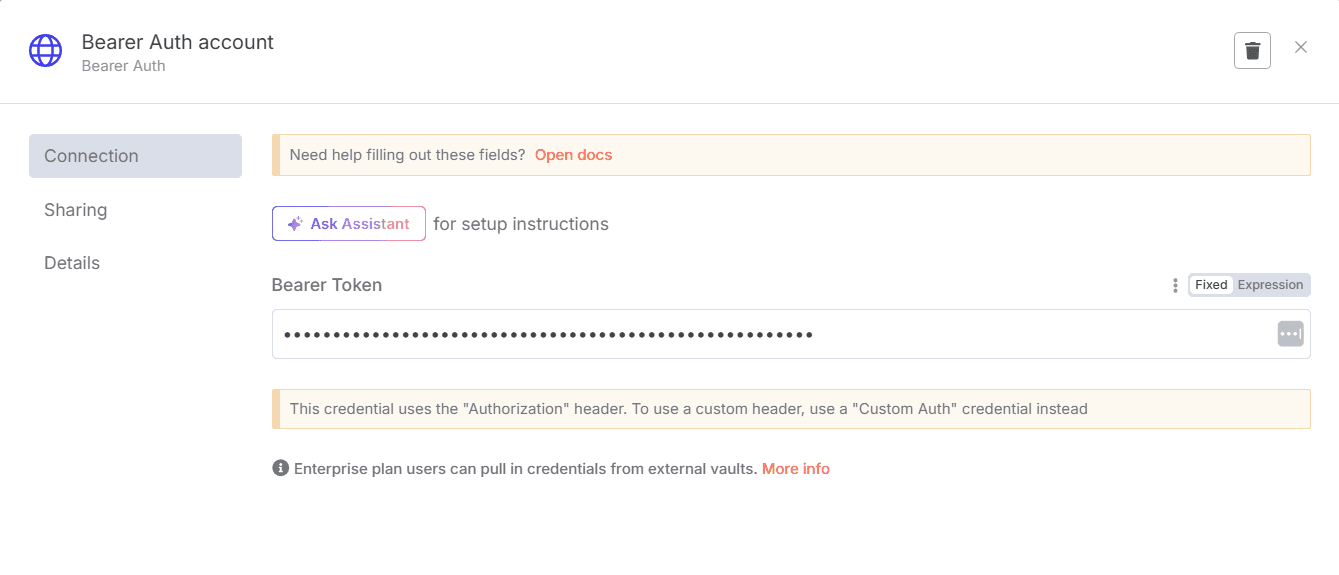
  2. In the "Setup your integrations Page" click on your profile picture (top right) and copy your API key.

  3. For MCP Client in the AI Agent node of n8n, use SSE Endpoint: https://gomarble.ai/mcp-api/sse
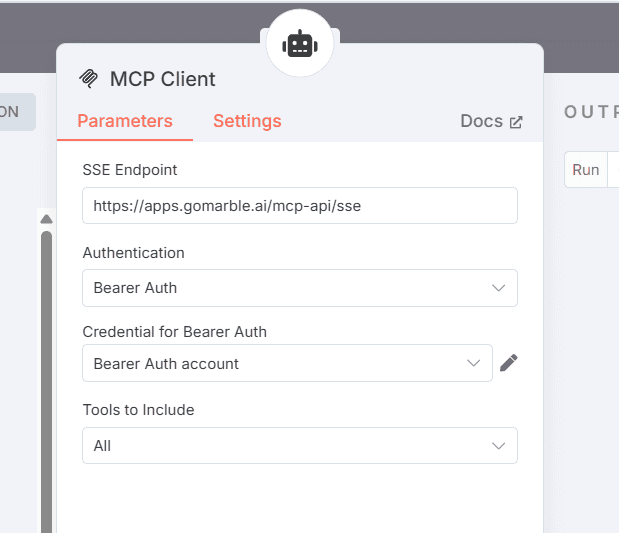
  4. Use Bearer authentication with your API key
<-

<-

Previous

Cursor

Next

Claude Code

->

->

AI Agent for Paid Media teams

USEFUL TOOLS

GoMarble MCP

AI Ads Library

AI Ads Analyzer

AI Copywriter

Competitor Intel Report

GoMarble Templates

BLOGS

Ads Analysis Guide

ROAS Benchmark

Meta Ads Performance

Meta Ads MCP Guide

More Blogs

COMPARISON

vs MCP

vs Motion

vs Triple Whale

vs AdCreative

vs Madgicx

vs Revealbot

vs Atria

COMPANY

About Us

Partner Program

Managed Services

Copyright © GoMarble AI 2026

AI Terms

Privacy Policy

Terms of Use

On This Page