
What is Meta Ads MCP and should you actually use it?
If you’ve been anywhere near AI Twitter, dev Slack, or a “future of marketing” webinar lately, you’ve seen MCP tossed around like it’s the missing piece in every workflow.
Now paid media teams are trying to map that hype to something real.
And that’s why people are searching meta ads mcp right now:
LLMs and “agents” are getting bolted into everything.
More MCP servers are shipping, including ones that talk to ad platforms.
Teams are under pressure to move faster in ad accounts without adding headcount.
Here’s the problem: access is not the same as insight.
You can give an AI a clean pipe into your Meta account and it still won’t know:
which creative concept is actually the strategy
what your offer is trying to do
what your margin allows
whether your attribution is lying this week
whether the spike is just seasonality, learning, or tracking drift
So this is not a setup tutorial, and it’s not an “AI will optimize your ads” post.
This is a decision guide:
what Meta Ads MCP is
how it works (conceptually)
when it’s useful
when it’s a risk
If you’re thinking, “Cool, but does this belong in my stack at all?” you’re the target reader.

AI Agent for Paid Teams
Ask question in plain english Get insights across all platforms
Trusted by 1000+ marketing teams across 80+countries






What Is Meta Ads MCP?
Meta Ads MCP is a way for an LLM such as ChatGPT, Claude Sonnet, Claude Opus, Gemini etc to interact with your Meta Ads account through a standardized connector.
Instead of you clicking around Ads Manager to pull data or check performance, the AI can ask for specific things like:
campaigns, ad sets, ads
spend, impressions, CPM, CTR
conversions, CPA, ROAS (as Meta reports them)
breakdowns (placement, age, gender, country) if supported
time ranges (last 7 days, week over week, etc.)
The key idea is structured access.
The AI isn’t “reading your screen.” It’s making structured requests to pull known objects and metrics, and it gets consistent responses back.
In practical terms, it means you can ask:
“Which ad sets absorbed budget this week?”
“Show me campaigns where spend is up but purchases are down vs prior 7 days.”
“List ads with high CTR but low conversion rate in the last 14 days.”
…and the system translates those questions into Meta Ads API calls (with whatever permissions you granted).
Why this matters (and where teams get it wrong):
It can speed up exploration, reporting, and audits.
It does not magically solve interpretation.
It does not understand your business truth unless you provide it.
Meta Ads MCP is a faster way to get the same platform view you already had. It’s not a replacement for thinking.
Also worth saying clearly: meta ads mcp is not a tool that optimizes ads for you. It’s plumbing that lets AI retrieve data (and potentially take actions) through a connector.
AI Agent for Paid Teams
Ask question in plain english Get insights across all platforms
Trusted by 1000+ marketing teams across 80+countries
What Is MCP?
Here’s the 60–90 second mental model.
MCP (Model Context Protocol) is a standard way for an AI client to request tools and context from external systems.
Why MCP exists:
LLMs don’t natively “see” your ad account, your spreadsheets, your warehouse, or your internal dashboards. They only know what you type into the chat.
So if you want an AI assistant to answer questions using real data, it needs a secure, structured interface to fetch that data (and sometimes take actions).
That’s what MCP provides: a consistent way for an AI client to say:
“Give me these campaigns”
“Pull insights for this date range”
“Create a report”
“Update X” (if write access is allowed)
Where MCP sits:
On one side: an AI client (Claude, Cursor, ChatGPT, or another tool that supports MCP).
On the other side: the systems you want it to use (Meta Ads API, Google Sheets, data warehouse, internal endpoints).
In the middle: an MCP server that exposes “tools” the AI can call.
Minimal jargon, one definition you’ll see a lot:
API: a way for one piece of software to request data from another system.
You don’t need to understand the implementation details to use MCP correctly. But you do need to understand the operational risk: MCP is a bridge, and bridges can be built well or poorly.
AI Agent for Paid Teams
Ask question in plain english Get insights across all platforms
Trusted by 1000+ marketing teams across 80+countries
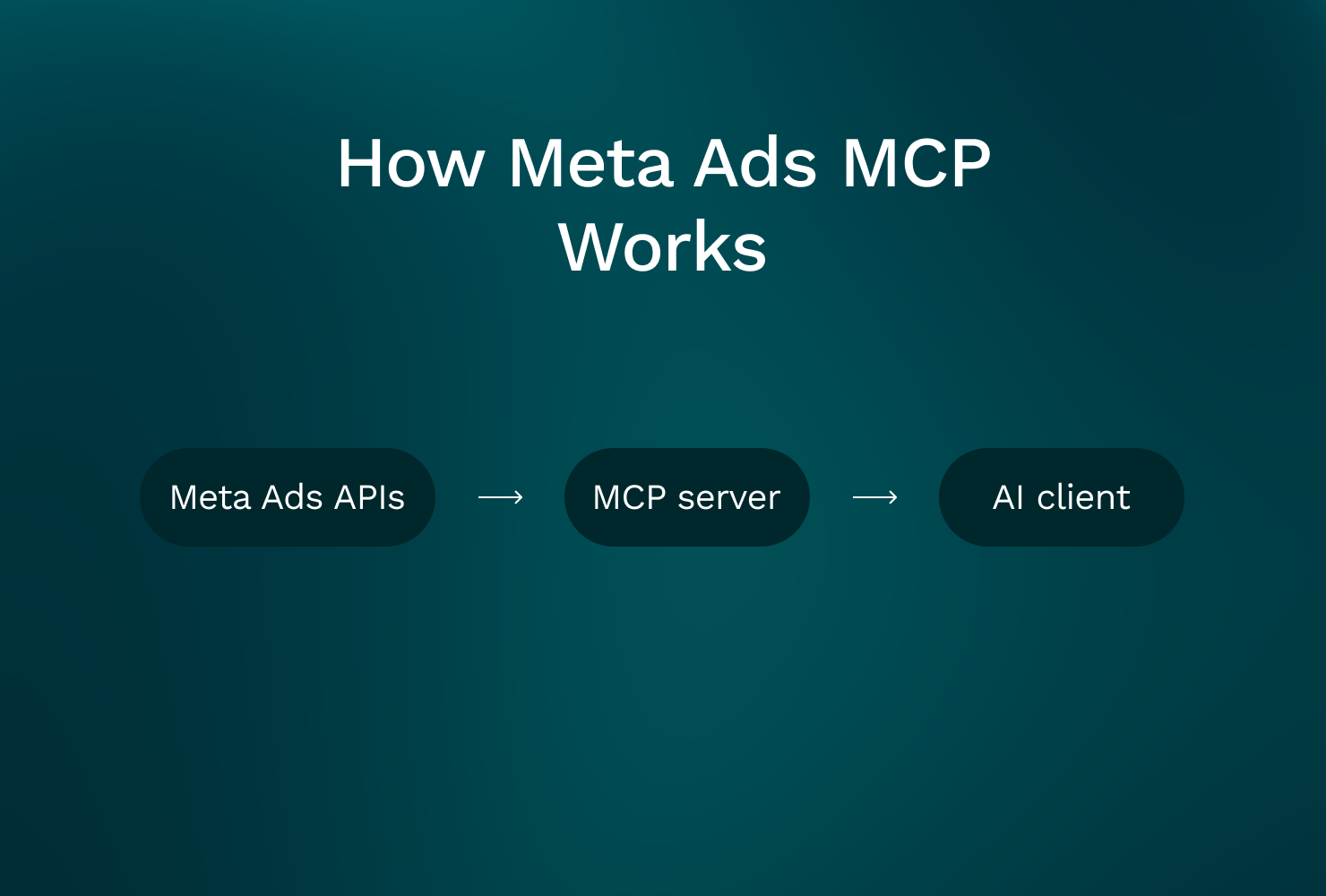
How Meta Ads MCP Works
No setup steps here. Just the flow so you know what you’re actually buying into.
Meta Ads APIs → MCP server → AI client (Claude / Cursor / ChatGPT)
1) Meta Ads API (what it provides)
Meta’s API provides programmatic access to things you already use in Ads Manager, such as:
account structure (campaigns, ad sets, ads)
delivery and spend
performance metrics (impressions, clicks, CTR, CPM, CPC, conversions)
metadata about ads and creatives (within limits)
There are constraints:
not every UI view maps cleanly to the API
some breakdowns are limited or sampled depending on query
rate limits exist
attribution reporting has its own rules (and changes)
2) MCP server (the execution bridge)
The meta ads mcp server is the middle layer. It exposes “tools” like:
get_campaignsget_adsetsget_insightsget_adssometimes
create_campaignorupdate_budget(this is where risk shows up fast)
This is where most real-world MCP failures happen.
Not because the AI is “dumb.”
Because:
permissions were too broad
scopes were unclear
a tool was implemented loosely
logging and approvals were missing
someone let write actions run without a human checkpoint
3) AI client (what it can see vs what it can do)
The AI client can only:
access what the API exposes
access what your token allows
reason based on what you asked for and what it retrieved
It can’t “know”:
your margin
your LTV assumptions
whether your conversion event is clean
whether GA4, Shopify, and Meta match this week
whether the real goal is profit, payback, MER, or volume
This distinction is everything: control is not understanding.
AI Agent for Paid Teams
Ask question in plain english Get insights across all platforms
Trusted by 1000+ marketing teams across 80+countries
What You Can Do With Meta Ads MCP
Let’s keep this grounded. These are the things Meta Ads MCP is actually good at when implemented sanely.
Capability #1: Conversational reporting (fast, flexible queries)
If you’ve ever wasted 30 minutes answering a basic question because you had to click through five tabs, this is where MCP helps.
Examples you can request:
spend, purchases, CPA by campaign for last 7 days
week-over-week ROAS change by ad set
CTR and CPM by placement for a specific campaign
top 20 ads by spend with thumbprints (name, ID, creative label) and results
This is especially useful when you’re doing:
daily checks across multiple accounts
weekly client audits
“what changed?” investigations
Where teams get misled:
If you don’t specify the conversion event, attribution window, and time range, you’ll get a confident answer that might be using the wrong definition.
Meta-reported ROAS is still Meta-reported ROAS.
Capability #2: Anomaly spotting support (not root-cause truth)
You can ask:
“What changed week over week in spend and results?”
“Which campaigns saw CPM spike above 30% vs prior period?”
“Where did CPA worsen the most, and was it driven by CVR or CPC?”
This is useful for triage because it gets you to the “where” faster.
But it’s not the “why.”
Why still requires context:
creative fatigue vs auction pressure
landing page changes
tracking drift
budget reallocation across channels
offer changes
attribution lag (especially on purchase cycles)
Capability #3: Faster audits and hygiene checks
Operators ask these questions all the time:
“Which ad sets have overlapping naming and unclear intent?”
“Which campaigns are missing cost controls?”
“Which ads are still running with outdated offers?”
MCP can pull the lists quickly. It won’t fix your naming conventions for you, but it can surface inconsistencies fast.
Capability #4: Drafting next steps (hypotheses, not decisions)
Once data is returned, the AI can draft:
a summary of what changed
a shortlist of underperformers
a hypothesis list
suggested tests (creative angles, audiences, landing page checks, budget shifts)
This is fine as long as you treat it like a junior analyst’s first pass.
Critical clarifier:
MCP answers are only as good as the question.
If you ask vague questions, you get vague output. If you ask precise questions with explicit definitions, you get something you can actually use.
Limitations that get missed (and cause bad decisions)
These come up repeatedly in real accounts:
Platform data is not business outcome. Meta can report “ROAS up” while your blended MER is down.
Attribution isn’t reality. It’s a model. Models drift.
Incrementality is not solved by MCP. You still need experiments, holdouts, or at least triangulation.
Creative truth is not in the metrics alone. The “why” is often the message, the audience intent, or the landing page mismatch.
If you keep those constraints in mind, Meta Ads MCP can be a useful access layer.
AI Agent for Paid Teams
Ask question in plain english Get insights across all platforms
Trusted by 1000+ marketing teams across 80+countries
Real Examples: “Ask Claude…” Prompts
These are prompts operators actually ask. Not “write me a growth strategy.”
Assume Claude (or another client) is connected via a facebook ads mcp / Meta Ads MCP tool with read access.
Prompt 1: Spend up, conversions down (triage)
Ask Claude:
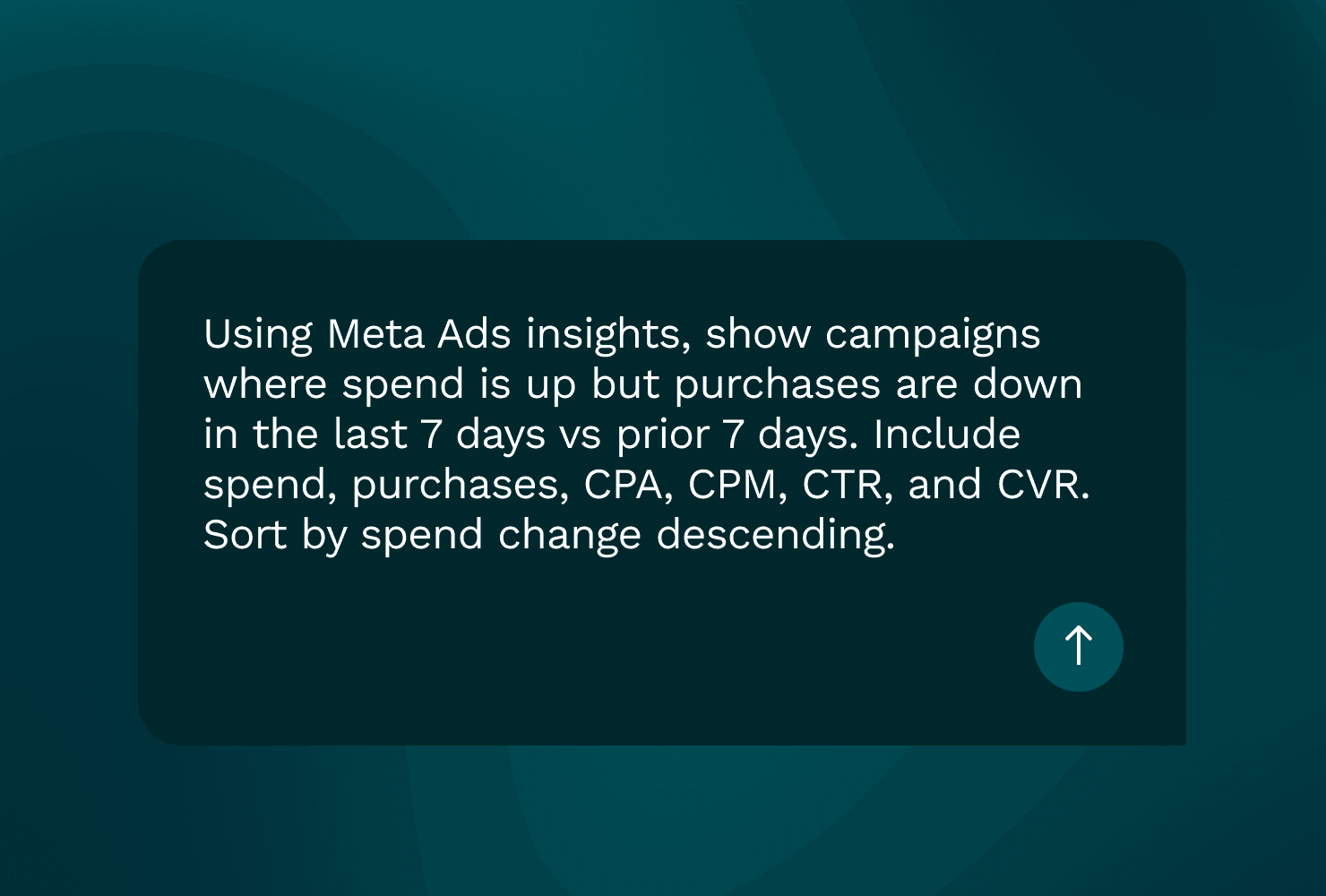
“Using Meta Ads insights, show campaigns where spend is up but purchases are down in the last 7 days vs prior 7 days. Include spend, purchases, CPA, CPM, CTR, and CVR. Sort by spend change descending.”
What this is useful for:
finding where the account is “leaking” budget
quickly locating the biggest swings
Where it can mislead:
attribution lag (last 7 days can undercount purchases vs prior period)
learning phase effects (especially after budget edits)
purchase conversion event changes
Operator guardrail:
sanity-check with a longer window (14 or 28 days)
confirm whether you’re using 1-day click vs 7-day click
look at spend distribution changes first before blaming creative
Prompt 2: CPM spike investigation
Ask Claude:
“Identify campaigns with sudden CPM spikes in the last 3 days vs the previous 7-day baseline. For each, show CPM, impressions, spend, CTR, and frequency. Propose 3 plausible hypotheses per campaign.”
What this is useful for:
getting an investigation plan, not a conclusion
separating “auction pressure” vs “targeting got narrower” vs “creative fatigue” signals
Where it can mislead:
hypotheses are guesses unless tied to known changes (edits, new creative, audience shifts)
CPM spikes can be seasonal, competitive, or placement driven
Operator guardrail:
require the AI to cite the exact time ranges and breakdowns used
confirm whether the spike is localized to a placement, geo, or audience segment
Prompt 3: Underperforming ads within winning ad sets
Ask Claude:
“Within the top 5 ad sets by spend in the last 14 days, list ads with below-median CTR and above-median CPA. Include spend and results. Don’t recommend pausing; just flag candidates.”
What this is useful for:
cleaning up waste inside high-spend areas
preventing “one good ad hides five bad ones”
Where it can mislead:
ads may be intentionally “learning” (new angle tests)
low CTR can still win if conversion rate is strong (rare, but it happens)
Operator guardrail:
compare against your actual testing plan
don’t cut tests early because a summary looked clean
How to grade an AI answer (simple checklist)
A good answer should:
cite exact metrics used
specify time ranges
specify attribution/conversion event definitions (or admit they’re unknown)
separate facts (“spend up 42%”) from guesses (“likely creative fatigue”)
flag uncertainty and missing context
If it doesn’t do that, you’re not getting analysis. You’re getting fluent summary.
AI Agent for Paid Teams
Ask question in plain english Get insights across all platforms
Trusted by 1000+ marketing teams across 80+countries
When Meta Ads MCP Makes Sense
Meta Ads MCP is useful when the problem is speed of access, not strategy.
1) Solo operators who need faster reporting
If you’re a one-person paid team, you don’t have time to:
build a full BI stack
maintain perfect dashboards
answer ad hoc questions across many cuts of data
A meta ads mcp server can help you interrogate the account quickly with natural language and structured queries.
2) Agencies managing many accounts
Agencies live in repeatable audits:
“What changed week over week?”
“Where is spend concentrated?”
“Which campaigns are inefficient relative to peers?”
“Any hygiene issues?”
MCP is a good fit for:
consistent checklists
standardized questions across clients
faster first-pass reviews before deeper diagnosis
3) Onboarding and knowledge transfer
New team members ask basic questions that are hard to answer quickly in a messy account:
“Which campaigns are prospecting vs retargeting?”
“What’s our testing structure?”
“Which conversion event is primary?”
MCP won’t fix your structure, but it can help them learn the account anatomy faster.
4) Bridging marketing and technical teams
When analysts or engineers want to pull the same definitions consistently, MCP can provide a shared interface.
This becomes more relevant when you’re also thinking about:
google ads mcp
tiktok ads mcp
amazon ads mcp
a standardized “query layer” across multiple networks
It’s not that MCP makes analysis better. It makes data access more consistent, which can make analysis less painful.
Prerequisites for success (non-negotiable)
Meta Ads MCP works best when you already have:
clean naming conventions
consistent conversion event mapping
documented attribution assumptions (what you trust and what you don’t)
a basic measurement truth outside Meta (GA4, Shopify, warehouse, etc.)
Without these, MCP will help you move faster in the wrong direction.
AI Agent for Paid Teams
Ask question in plain english Get insights across all platforms
Trusted by 1000+ marketing teams across 80+countries
When Meta Ads MCP Does NOT Make Sense
This is the part teams usually skip.
Do not use MCP as “autopilot optimizer”
If someone says, “We’ll connect Meta MCP and let the agent optimize,” be skeptical.
Especially if write permissions are enabled by default.
Because the failure mode is obvious:
budgets get edited
campaigns get paused
the account “looks cleaner”
and then performance drops because the AI didn’t understand constraints you never encoded
Red flag: recommendations not grounded in your measurement reality
If AI output doesn’t reference:
profit
CAC payback
MER
LTV assumptions
inventory constraints
funnel conversion reality
…it’s not decision-grade.
It’s platform-grade.
And platform-grade decisions are how teams scale spend into low-quality revenue.
Why these failures happen
LLMs are good at summarizing patterns in returned data.
They are not inherently good at:
experiment design
causal inference
business constraint handling
interpreting messy attribution
understanding your creative strategy
That’s why the trust principle matters:
Access ≠ insight. Control ≠ understanding.
What to do instead (if you still want MCP)
Start read-only for analysis.
Require human sign-off on any actions.
Document assumptions: attribution window, primary conversion, lag expectations.
Validate with cross-channel and revenue data.
Treat MCP like a production integration, not a hack.
AI Agent for Paid Teams
Ask question in plain english Get insights across all platforms
Trusted by 1000+ marketing teams across 80+countries
MCP vs Dashboards vs AI Analytics Tools
The goal here is simple: stop expecting one layer to do everything.
Approach | What it’s good at | Where it breaks |
|---|---|---|
Dashboards | Visualization, repeatable KPI tracking, “what happened” monitoring | Weak at diagnosis. Still depends on clean data hygiene and consistent definitions. Doesn’t explain why spend spiked. |
MCP (Meta Ads MCP, Meta MCP, etc.) | Fast, flexible access to platform data and actions via structured tools. Great for audits and ad hoc queries. | Easy to misuse. Gives access without business context. Can create risk fast with write permissions. Still inherits platform attribution limitations. |
AI analysts (GoMarble) | Diagnosis and decision support across channels and funnel. Helps answer creative analysis, what changed, where, and why, using Meta + Google + TikTok + GA4 + commerce context. | Doesn’t push buttons in ad accounts. Not an execution layer. You still execute in Ads Manager, scripts, or MCP. |
Plain-English guidance:
Use dashboards for monitoring.
Use MCP when you need fast, structured access and you trust your guardrails.
Use an analysis layer to interpret what happened with context across systems.
Pair tools intentionally: execution layer + analysis layer + measurement truth.
Security, Permissions & Risk
Most teams don’t need a security lecture. They need the two things that prevent disasters.
OAuth (marketer-level explanation)
OAuth is a permissioned connection that grants scoped access to a system without sharing passwords.
You approve access, a token is issued, and that token determines what the integration can do.
Read vs write scopes (why it matters)
Read scopes: pull data, generate reports, list campaigns, view insights.
Write scopes: create/edit campaigns, change budgets, pause ads, modify targeting.
Most teams should start read-only.
Write access is not inherently bad, but it needs controls:
approvals
logging
explicit tool design (no vague “optimize” endpoints)
time-bound credentials
Operational safeguards (what “grown-up MCP” looks like)
least-privilege access (only what you need)
separate tokens by environment or account type
approval workflows for changes
change logs you can audit later
time-bound credentials and rotation
clear ownership of who can connect what
Data considerations (don’t leak your own business)
Be careful what you paste into prompts.
Even if your MCP tool pulls Meta data safely, your AI client may log prompts, store chat history, or send data to vendors depending on settings and policies.
Good defaults:
don’t paste margins, supplier costs, or sensitive customer lists into chat
avoid pasting raw PII
know the retention policy of the AI client and MCP vendor
No fear-mongering needed. MCP can be safe when treated like any production integration: controlled, audited, and limited.
Meta Ads MCP Tools
A quick reality check: “Meta Ads MCP” isn’t one official product. It’s a category.
Tools differ a lot in:
reliability
maintenance
permission controls
auditability
rate-limit handling
documentation quality
GoMarble itself offers a widely used Meta Ads MCP.
For many teams, this is where they first interact with GoMarble using MCP to give AI controlled access to Meta Ads data. That’s also why GoMarble consistently appears in Meta Ads MCP-related searches.
GoMarble’s MCP is built to be stable and production-ready. It handles authentication, permissions, and access patterns so teams don’t have to maintain their own connectors or worry about breaking changes.
You can explore GoMarble’s MCP here:
And get started here:
https://www.gomarble.ai/mcp-thankyou
Over time, many teams who start with MCP move to the full GoMarble platform. MCP solves access. The platform adds context helping teams understand what changed, why it changed, and what to do next across Meta and the rest of their stack.
Pipeboard
Pipeboard is one known option teams mention when discussing a meta ads mcp server for ads workflows.
The only point worth making here: evaluate it like you’d evaluate any integration. Don’t assume “MCP” means “safe and correct.”
Developer-run / internal tools
Internal MCP servers can make sense when:
you have in-house engineering
you need strict controls and audit logs
you have custom reporting definitions
you want consistent data access patterns across systems
Downside: you now own maintenance and reliability.
What to evaluate before choosing any Meta MCP tool
If you’re considering a facebook ads mcp or broader meta mcp connector, look at:
Supported endpoints: can it pull the insights you actually use?
Read/write control: can you enforce read-only?
Audit logs: can you see what was queried and what was changed?
Error handling: does it fail loudly and clearly?
Rate-limit behavior: does it respect API limits or silently drop results?
Documentation quality: can operators understand it without guessing?
Permission scope clarity: does it force explicit scoping, or is it all-or-nothing?
Reminder: the server is not the strategy. It’s plumbing.
How GoMarble Fits with MCP (And When the Platform Makes Sense)
GoMarble is not an ad platform.
It’s not an execution tool.
GoMarble is an AI performance analyst for paid media teams.
The GoMarble platform uses MCP internally to access data — just like many teams do. MCP is part of the stack, not something GoMarble replaces.
What GoMarble adds is everything that comes after access.
What the GoMarble platform does
GoMarble helps teams understand what changed, where it changed, and why — across Meta, Google, TikTok, GA4, and commerce data.
It focuses on diagnosis and decision-making, not button pushing. That includes things MCP alone doesn’t handle well, like creative analysis, cross-channel context, and repeatable reporting.
This is the important distinction:
MCP helps AI access advertising data across platforms.
GoMarble helps teams interpret that data reliably and consistently.
When MCP alone is enough
If your goal is basic access pulling data, running ad-hoc queries, or experimenting with AI prompts MCP can be a good starting point.
Many teams begin there.
When teams move to the GoMarble platform
As usage grows, limits show up quickly. Reliability becomes critical. Creative questions come up. Reporting needs to run on a schedule. Multiple ad accounts need to be supported without hitting rate limits or juggling subscriptions.
That’s where teams move beyond MCP.
Compared to using MCP alone, the GoMarble platform offers:
higher reliability in production use
built-in creative analysis (video, static, hooks, messaging)
advanced reporting and scheduling
no separate AI subscriptions required
support for a higher number of ad accounts
How this usually looks in practice
A modern setup often includes:
MCP for structured data access
GoMarble for interpretation, diagnosis, and reporting
Ads Managers (Meta, Google, TikTok) for execution
GoMarble doesn’t replace MCP or Ads Managers. It sits alongside them and helps teams make better calls before budgets are changed.
Use AI for Access, Then Use Context to Make the Call
If you take one thing from this:
Use AI for access. Then use context to make the call.
Meta Ads MCP can make you faster at pulling answers from Meta.
But the hard part is still the operator work:
what changed
where it changed
why it changed
what to do next without breaking what’s already working
If you want help with that second part, GoMarble is built to diagnose performance across Meta plus the rest of your stack, so you can make decisions with context, not just platform metrics.
You execute wherever you prefer: Ads Manager, scripts, MCP, or your existing workflow.
No magic optimization. No button-pushing. Just clearer decisions, faster.
What is Meta Ads MCP?
Meta Ads MCP is a way for an AI assistant to access Meta Ads data and (if permitted) take actions through a standardized connector, instead of you manually clicking around Ads Manager.
Is Meta Ads MCP an official Meta product?
What is a meta ads mcp server?
Can Meta Ads MCP optimize my ads automatically?
What’s the difference between Meta Ads MCP and a dashboard?
Is Facebook Ads MCP the same thing as Meta Ads MCP?
How does Meta MCP compare to Google Ads MCP or TikTok Ads MCP?
What permissions should I give an MCP connector for Meta Ads?
What are the biggest risks with Meta Ads MCP?
What is Meta Ads MCP and how does it help in managing Meta ad accounts?
How does the Model Context Protocol (MCP) work in the context of Meta Ads?
What are the key capabilities of Meta Ads MCP beyond hype?
Is Meta Ads MCP an AI optimizer that replaces marketing strategy?
What are the risks associated with using Meta Ads MCP servers?
When should marketers consider integrating Meta Ads MCP into their tech stack?
From research to results
Go Beyond just analysis - discover winning creatives, research what's working in your market, and make campaign changes directly from your insights