
Why Meta Ads performance drops
If you’ve run Meta long enough, you’ve seen this movie.
Same creatives. Same audiences. Same budgets. Then performance drops anyway.
CPA climbs, reported ROAS slides, and delivery gets weird. Spend starts pushing harder on some days and barely moves on others. You open Ads Manager and… nothing obvious changed. That’s the frustrating part.
Meta is harder to debug than Google for a simple reason: you’re not buying a keyword. You’re renting an algorithm.
Delivery is algorithmic, placements are blended, and in 2026 measurement is still a partial view of reality. Pixel signal loss, modeled conversions, attribution windows, and delayed reporting all stack up. The result is a system where “what happened” and “what got reported” are often two different stories.
This guide is not a list of optimizations.
It’s a diagnostic guide. Cause → effect → implication. The goal is to help you locate where the chain broke, so you stop making destructive edits based on the wrong signal.
Scope: Meta Ads (Facebook + Instagram) inside Ads Manager. Not generic PPC. Not TikTok. Not “marketing in general.”
And when I say “performance issue,” I mean one of these:
CPA up (or cost per result up)
ROAS down (reported, blended, or both)
Spend pacing is weird (can’t spend, or overspends into garbage)
Volatility (results swing for no clear reason)
“Learning Limited” that won’t resolve
Creative fatigue signals (CTR decay, frequency creep, comments turning)
Let’s break down what’s actually happening in your account.

AI Agent for Paid Teams
Ask question in plain english Get insights across all platforms
Trusted by 1000+ marketing teams across 80+countries






What Meta Ads performance really means
Meta ads performance is not one number.
It’s the output of a system:
Spend × delivery × creative × audience × measurement.
When something goes wrong, people usually stare at ROAS or CPA and start “tuning the campaign.” That’s understandable. But it’s also how you end up changing three things at once and learning nothing.
In 2026, the first mental shift is this:
Platform-reported performance is not business truth
Ads Manager is showing you Meta-attributed outcomes under a specific attribution model. That’s useful, but it’s not the same as:
Incremental contribution (what happened because ads ran)
Blended MER (marketing efficiency ratio) across channels
True profit impact (after margin, discounts, returns, shipping, etc.)
This usually means two common scenarios happen:
1) Your ads look worse in-platform, but the business is fine
Under-attribution is still real.
If you run a brand with repeat buyers, or you have longer consideration cycles, Meta will miss conversions that happen through:
organic search later
email later
direct later
another device later
So Ads Manager ROAS can drop while total revenue stays stable.
2) Your ads look great in-platform, but the business isn’t improving
Over-crediting is still real too.
Meta can pick up “convenient” conversions that were already going to happen. This is especially common when:
you’re heavy on retargeting
you have strong brand demand
you run frequent promos
you optimize too close to purchase without enough incrementality
Key takeaway: don’t diagnose from one metric. Diagnose from where the chain broke.
AI Agent for Paid Teams
Ask question in plain english Get insights across all platforms
Trusted by 1000+ marketing teams across 80+countries
Core Meta Ads metrics that actually help diagnosis
You don’t need 40 columns.
You need a few metrics that map to specific failure modes, and you need to interpret them as a chain.

CTR (link / outbound) is an attention and promise proxy
CTR tells you whether the ad earned a click.
But it’s not “creative quality” in a vacuum. It’s creative plus offer clarity plus audience match plus placement context.
A “good CTR” can still fail when:
the hook is clicky but the offer is weak
the creative implies one thing and the landing page delivers another
the targeting is broad and you’re pulling low-intent curiosity clicks
you’re using placements where accidental taps are common
This usually means you should treat CTR as:
“Did we win attention and set the right expectation?”
Not: “Is this ad good?”
CPA / cost per result is an outcome, not a root cause
CPA rising can come from upstream or downstream.
Upstream:
CPM rises (more expensive impressions)
CTR drops (fewer clicks per impression)
Downstream:
CVR drops (clicks stop converting)
AOV drops (if you’re evaluating ROAS-based outcomes)
CPA is a symptom. You need to locate whether the issue starts at CPM, CTR, or CVR.
CVR is post-click quality (and it’s where “Meta is broken” often isn’t true)
Your CVR definition depends on your funnel and tracking, but pick something consistent, like:
Landing page view → purchase
Click → purchase
Add to cart → purchase
CVR drops are commonly caused by:
site speed regressions
broken checkout (Shopify apps do this more than people admit)
mobile UX issues (popups, auto-scroll, weird sticky bars)
out-of-stock variants
promo code changes
price changes
mismatch between ad promise and landing page reality
If CTR is stable but CVR collapses, it’s rarely an audience problem.
Spend & delivery stability is a signal by itself
Volatility is not just annoying. It’s a clue.
If spend swings while budgets didn’t change, Meta is telling you something:
it’s finding pockets of predicted conversions, then losing confidence
it’s running out of “cheap confidence inventory”
it’s hitting internal constraints (learning, limits, audience saturation)
Stable accounts tend to have stable inputs:
enough conversion volume per ad set
fewer structural fragments
predictable creative refreshes
fewer forced resets
Common misreads to avoid
“CTR is fine so creative is fine.”
CTR can be fine while the promise is wrong and CVR pays the price.
“CPM is high so the audience is wrong.”
CPM can rise because competition rose, seasonality changed, or Meta shifted delivery into different placements.
“Learning Limited means the campaign is broken.”
Learning Limited often just means the structure doesn’t match your volume. The campaign can still be profitable.
AI Agent for Paid Teams
Ask question in plain english Get insights across all platforms
Trusted by 1000+ marketing teams across 80+countries
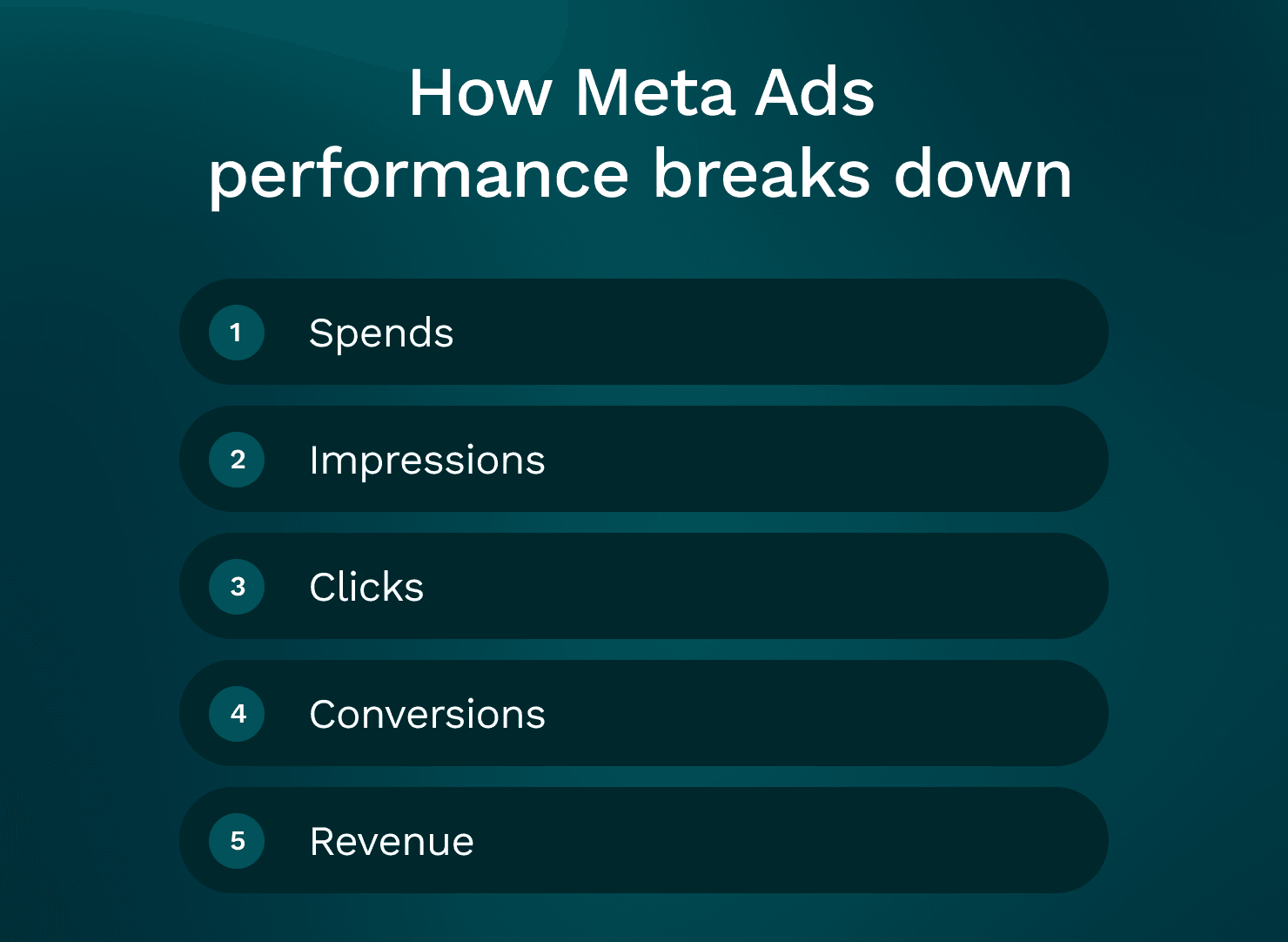
How Meta Ads performance breaks down
Here’s the chain you should debug:
Spend → Impressions → Clicks → Conversions → Revenue
And here’s how the main metrics map to that chain:
Impressions layer: CPM, reach, frequency, placement mix (auction + delivery)
Clicks layer: CTR (link/outbound), CPC (creative + audience match)
Conversions layer: CVR (site + offer + expectation match)
Revenue layer: AOV, purchase value, margin effects (business reality)
The same ROAS drop can have totally different causes
A reported ROAS drop could be:
CPM spike: you’re paying more for the same volume, so CPA rises even if CTR/CVR are stable.
Implication: looking for “better creatives” might not fix it fast. You may need to adjust spend pacing, broaden, or wait out auction shifts.
CTR decay: your creative stopped earning attention.
Implication: audience tinkering won’t fix it. You need new hooks and angles.
CVR collapse: traffic quality stayed similar but the site stopped converting.
Implication: Meta isn’t broken, your funnel is.
AOV down: conversions are happening but value per conversion dropped (discounting, lower bundle rate, more first-time buyers).
Implication: ROAS falls even if CPA is stable.
Fixing the wrong layer wastes weeks
A very common pattern:
CPA rises
Team assumes audience is “fatigued”
They rebuild targeting, split ad sets, reset learning
Two weeks later CPA is still high
Turns out the checkout update broke Apple Pay on iOS
The habit to build:
Always locate the break first. Then choose the smallest intervention.
AI Agent for Paid Teams
Ask question in plain english Get insights across all platforms
Trusted by 1000+ marketing teams across 80+countries
Meta Ads learning phase explained
Learning phase still matters in 2026, but not in the way people talk about it.
What learning phase actually is
Learning is Meta’s delivery exploration period where it’s trying to stabilize predictions for your chosen optimization event.
If you optimize for purchases, Meta is trying to predict who will purchase, in which placements, at what bid pressure, with what creative.
During learning, delivery is less stable because the system is collecting evidence.
What triggers learning (or re-learning)
Common triggers:
launching a new ad set
meaningful edits to targeting, placements, optimization event, attribution settings
swapping creatives (especially if it materially changes the ad set’s mix)
big budget jumps (the bigger the jump, the more exploration pressure)
pausing and restarting
changing conversion event priorities or domain configuration (less common day-to-day, but it happens)
This usually means “I only made a small change” isn’t always true. Some changes are small to humans and large to the model.
What “Learning Limited” usually means
Learning Limited is often just: not enough conversions per ad set.
The causes are boring and structural:
too many ad sets for your volume
too many ads for your volume
optimizing for a low-volume event (purchase on a low-spend account)
fragmentation across geos, ages, interests, lookalikes, and retargeting pools
“Learning Limited” does not automatically mean “unprofitable.” It means “less stable and less predictable.”
When to wait vs intervene
Hold steady when:
CPM is stable
CTR is stable
CVR is stable or improving
performance volatility is within your normal range
you’re within the first few days of a launch or change
Intervene when:
CTR is collapsing day-over-day (creative failure)
frequency is climbing fast while CTR drops (fatigue + saturation)
spend can’t exit learning because delivery is constrained (structure/limits)
CPA is rising and you can clearly see whether CPM/CTR/CVR is the driver
When learning is not the real issue
Sometimes “learning” is the label, but the problem is elsewhere:
attribution/reporting changed (measurement drop, not behavior drop)
creative fatigue is masked as learning volatility
budget caps or spending limits are throttling delivery so Meta can’t get enough signal
AI Agent for Paid Teams
Ask question in plain english Get insights across all platforms
Trusted by 1000+ marketing teams across 80+countries
Diagnosing spend & budget issues
Meta doesn’t spend evenly because you want it to.
Meta spends where it predicts conversions under your constraints.
Why spend distribution looks “unfair”
If you run CBO (campaign budget), Meta will pour money into the ad sets and ads it trusts most. That can be good.
But it can also hide problems:
one “winner” carries three losers
retargeting quietly soaks spend because it converts easier
prospecting gets starved, then your account future gets worse
This usually means you need to look at performance at the level where decisions are being made (campaign vs ad set vs ad), not just blended totals.
Meta ads daily spending limit (and how it creates artificial throttling)
There are multiple “limits” people confuse:
Account spending limit: a hard cap at the account level.
Campaign or ad set budgets: your intentional constraints.
Payment threshold / billing issues: can cause spend interruptions.
Learning-related delivery constraints: not a “limit,” but it behaves like one.
If you have an account spending limit set too low, you’ll see:
campaigns “want to spend” but can’t
inconsistent pacing
the system never stabilizes because it’s constantly constrained
Implication: you can misdiagnose a delivery constraint as “creative fatigue” or “Meta is broken.”
Why increasing budget can reduce performance
Scaling spend increases exploration.
Exploration usually means:
reaching less proven pockets
higher frequency in pockets that were cheap
new placements you didn’t rely on before
more marginal clicks that look fine but convert worse
So you get the classic operator pain:
spend up 30%
CPA up 25%
reported ROAS down
nothing else looks obviously “wrong”
That doesn’t mean “don’t scale.” It means scale is a stress test.
Decision rules (practical, not perfect)
Consider scaling when:
CTR is stable or improving
CVR is stable
frequency is not climbing aggressively
you’re not hitting account/campaign limits
you have creative headroom (new variants ready)
Fix before scaling when:
CPM up and CTR down (auction got harder and creative got weaker)
frequency up and CPA up (saturation or fatigue)
spend is volatile and you’re stacking changes (you won’t learn what worked)
AI Agent for Paid Teams
Ask question in plain english Get insights across all platforms
Trusted by 1000+ marketing teams across 80+countries
Diagnosing creative issues
In 2026, creative is usually the primary lever.
Not because audiences don’t matter, but because algorithmic targeting is strong. Meta can find buyers in broad pools. What it can’t do is make a boring ad earn attention, or fix a weak offer.
Creative is what earns:
cheaper attention (higher CTR at the same CPM)
more qualified clicks (better CVR downstream)
more stable delivery (more “confidence” inventory)
What creative fatigue actually looks like
Fatigue is not “frequency is 3.”
Fatigue is a pattern across metrics:
CTR trends down over time
CPC trends up
CPA trends up
frequency creeps up in the same window
comments sentiment shifts (“scam?”, “does this work?”, “too expensive”)
This usually means the audience has seen the message enough times that the ad stops working as a pattern interrupt.
Don’t just rotate formats. Rotate angles.
A lot of teams “refresh creative” by changing:
background color
first frame thumbnail
music
font
Sometimes that helps, but often it’s lipstick.
Angle changes are more meaningful:
different problem framing
different persona callout
different objection handling
different proof type (demo vs testimonial vs before/after vs comparison)
different offer presentation (bundle vs starter kit vs guarantee)
If you only change cosmetics, the system still burns out the same message.
Using Meta Creative Hub / Creative Center to reduce stupid failures
Meta’s creative tools aren’t magic, but they’re useful for speed:
preview placements before you launch
catch bad crops (especially Reels vs Stories vs Feed)
validate aspect ratios and safe zones
avoid shipping a “winner” that only looks good in one placement
This usually means fewer false negatives. Some ads “fail” because they looked broken in the placement that got most delivery.
Meta mockups: build variations before launch
If you’re resource-constrained, don’t wait for full production.
Mock up:
UGC layouts with different hooks
subtitle styles
product demo cuts
static variants with different headlines and proof points
Then test which message earns attention before you spend real production time.
Practical next actions (what I’d actually do)
Rotate angles, not just formats.
Ship 5–10 hook variants for each angle. Hooks drive early scroll-stop.
Build a simple fatigue calendar (even if it’s “new batch every 2 weeks”).
Separate creative testing from scaling so you don’t mix signals.
AI Agent for Paid Teams
Ask question in plain english Get insights across all platforms
Trusted by 1000+ marketing teams across 80+countries
Diagnosing audience issues
Audience problems exist, but they’re often misdiagnosed.
Start by separating prospecting and retargeting, because their metrics “should” behave differently.
How prospecting vs retargeting usually behaves
Prospecting (cold):
higher CPM (often)
lower CTR than retargeting (but should still be healthy)
lower CVR than retargeting
lower frequency (ideally)
Retargeting (warm):
smaller pool
higher frequency (by nature)
higher CVR
often better reported ROAS (because attribution favors it)
If you blend these together, you can convince yourself performance is stable while prospecting is dying quietly.
Audience saturation signals
Saturation often shows up as:
frequency rising
CPM stable (or mildly rising)
CTR slowly degrading
CPA worsening even though the offer didn’t change
This usually means you’re spending too much against too small a responsive pool.
Your first move is not always “broaden targeting.”
Often the faster fix is creative: new angles expand the responsive pool inside the same broad audience.
When audience really is the issue
Audience is more likely the core issue when:
CPM rises materially with no creative changes and no seasonal explanation
delivery gets stuck in tiny pockets (same segments repeatedly)
your retargeting pool is too small, so frequency explodes
exclusions are misconfigured, causing cannibalization (retargeting stealing prospecting credit)
Audience interventions that don’t reset everything
You don’t need to rebuild the account.
Try:
consolidating ad sets (reduce fragmentation)
simplifying structure so the system has volume
expanding geo or age cautiously (only if it fits the business)
refreshing exclusions to reduce overlap
Tie-back to the chain: audience issues typically appear first in CPM and frequency, then influence CTR and CVR.
AI Agent for Paid Teams
Ask question in plain english Get insights across all platforms
Trusted by 1000+ marketing teams across 80+countries
Diagnosing tracking & attribution issues
A lot of “meta ads performance” drops are reporting drops.
That doesn’t mean ignore them. It means diagnose them correctly before you start changing delivery inputs.
Pixel vs CAPI in 2026: what matters and what doesn’t
Browser signal loss still matters.
CAPI (Conversions API) generally improves:
event match quality
stability of event capture
deduplication (when implemented correctly)
CAPI does not give you perfect truth:
it won’t fix attribution philosophy
it won’t capture everything if your server events are misconfigured
it won’t stop reporting delays
Attribution setting changes and reporting delays
If someone changed attribution windows, or if Meta updated modeling, you can see “sudden drops” that are mostly accounting changes.
Also: Meta reporting can lag. Some conversions show up later, especially when:
purchases happen after longer consideration
users switch devices
events are deduplicated later
How to tell “ads are failing” vs “measurement is failing”
Look outside Ads Manager:
on-site sessions from paid social (analytics)
add-to-carts and checkout starts
backend orders tagged to paid social UTMs (imperfect, but directional)
blended MER (spend vs total revenue)
time-lagged conversions (compare 1-day vs 7-day trend shapes)
If traffic and lower-funnel actions are stable but reported purchases drop, it’s likely measurement.
Event quality issues: symptoms and quick checks
Common issues:
wrong purchase value being sent
duplicate purchase events
domain verification / event priority misconfigurations
broken UTMs after a theme update
pixel firing on the wrong pages
Where to check:
Events Manager diagnostics
deduplication status (pixel + CAPI)
sample event payloads (value, currency, content IDs)
Aggregated Event Measurement setup
What not to do during tracking uncertainty
Don’t churn budgets and creatives based on one day of attribution noise.
This usually means you turn a reporting problem into a real performance problem by resetting learning and destabilizing delivery.
Step-by-step Meta Ads performance diagnostic framework
Here’s the framework I use when an account gets weird. It’s designed to reduce random changes.
Step 1 : Define the problem precisely
Pick one primary symptom:
CPA up
ROAS down
spend pacing off
volatility
learning limited that won’t resolve
If you pick three symptoms, you’ll chase ghosts.
Step 2 : Identify what changed (last 7–14 days vs prior)
Don’t rely on memory. Make a list.
Check:
budgets (including rules and automated adjustments)
creatives (new uploads, swaps, reordering)
placements (advantage+ changes, manual edits)
attribution settings
catalog / product set changes
landing page changes
promo changes (pricing, discount codes, shipping thresholds)
site speed and error logs
inventory and fulfillment issues
This usually means you find something you “forgot” happened.
Step 3 : Locate the break in the chain
Use the funnel chain:
CPM changed? (impressions got more expensive)
CTR changed? (creative stopped earning attention)
CVR changed? (site/offer mismatch or technical issue)
AOV changed? (business-side value shift)
Step 4 : Decide if it’s real behavior or measurement
Cross-check with:
sessions
add-to-carts
checkout starts
backend revenue
blended MER
Step 5 : Check learning and structure (only after steps 1–4)
Ask:
are we fragmented?
are we starving ad sets of conversions?
did we reset learning repeatedly with edits?
Step 6 : Pick one intervention with a prediction
One change. One reason.
Write a prediction like:
“If this is creative fatigue, CTR should recover before CPA improves.”
“If this is a landing page issue, CTR will stay stable but CVR should rebound after the fix.”
“If this is auction pressure, CPM will remain high but CPA should stabilize when we slow spend.”
Step 7 : Confirm with a tight test window and guardrails
avoid stacking multiple changes
document what changed and when
set guardrails (max CPA, min CVR, frequency ceiling)
give it enough time to see the first-order metric move
Simple decision table (symptom → likely causes → first check → next action)
CPA up → CPM up / CTR down / CVR down → check CPM, CTR, CVR trend lines → fix the first metric that moved materially
ROAS down → CPA up or AOV down or attribution shift → check CPA vs AOV vs reporting window → validate business revenue and offer mix, then act
Spend can’t scale → limits / learning constraints / audience too narrow → check account limit, budget caps, delivery status → remove artificial caps, consolidate, broaden cautiously
Spend spikes into bad results → scaling pushed exploration / retargeting cannibalization → check placement mix, frequency, prospecting vs retargeting split → cap scaling, isolate retargeting, refresh creative
Learning Limited → low volume or fragmentation → check conversions per ad set and number of ad sets/ads → consolidate, reduce creative count per ad set, choose a higher-volume event if needed
Volatility → too many edits / unstable measurement / low volume → check change history + conversion volume → freeze inputs, verify tracking, wait for data to settle
A realistic diagnosis walkthrough
Here’s a scenario seen a lot.
The setup
Spend climbs 30–50% week-over-week
Reported ROAS declines
CPA is up
Team sentiment: “Meta is broken”
Nothing feels obviously different, but you dig in and find:
Budget was increased aggressively on the main campaign
Two new creatives were added mid-week
The landing page was tweaked (new hero section + different default variant)
Walk through the framework
Step 1: Primary symptom
ROAS down, driven by CPA up.
Step 2: What changed
Budget up, new creatives, landing page tweak.
Step 3: Locate the break
You compare last 7 days vs prior:
CPM: slightly up (not crazy)
CTR: down meaningfully after the new creatives went live
CVR: also down after the landing page tweak
So this is not one problem. It’s two stressors at once.
Step 4: Is it measurement?
Sessions from paid social are up (matches spend increase).
Add-to-carts are flat.
Checkout starts are down.
That points to real funnel damage, not just attribution.
Actions taken (minimal, staged)
Revert the landing page element (or roll forward with a corrected version)
You’re trying to recover CVR first because it’s a hard stop.
Launch new hook variants for the best-performing pre-existing angle
Not “make new ads.” Make hook variants that address the likely fatigue or mismatch.
Cap scaling until CTR stabilizes
Stop forcing exploration while the message is underperforming.
Consolidate ad sets if volume is fragmented
This helps learning and stabilizes delivery, especially after multiple edits.
Expected outcomes (what would confirm)
CTR improves first (creative fix working)
CVR improves after the landing page correction
CPA improves after CTR and CVR
Reported ROAS lags because reporting catches up and attribution stabilizes
Blended revenue stabilizes earlier than Ads Manager suggests
The meta-lesson
Most “performance drops” are multi-factor.
You still fix them one lever at a time, in the order the chain broke.
Tools for Meta Ads performance analysis
Meta Ads Manager (primary diagnostic surface)
This is where you can actually diagnose:
breakdowns by placement, age, gender, geo (useful, but don’t overfit)
attribution views and comparison windows
creative-level reads (thumb stop, CTR trends, frequency)
delivery insights (learning status, limited delivery)
spend distribution (where budget is actually going)
Ads Manager is imperfect, but it’s the closest thing to the system’s “brain.”
Meta Business Suite vs Ads Manager
Business Suite is fine for:
inbox
posts
basic boosts and high-level reporting
Ads Manager is where you do real work:
full campaign controls
structure decisions
diagnostics
proper breakdowns and comparisons
If you’re trying to debug performance in Business Suite, you’re basically debugging with half the dashboard missing.
Events Manager (tracking health and event quality)
When you suspect measurement issues, Events Manager is the fastest way to check:
pixel and CAPI event volume trends
match quality and diagnostics
deduplication
domain and event configuration
suspicious event payloads (wrong value/currency, duplicates)
Native limitations (why diagnosis still feels harder than it should)
Even with these tools, Meta makes it easy to misread reality because:
multiple changes stack and the UI doesn’t connect them to outcomes
short windows create false confidence
account, site, and CRM signals are fragmented
Where GoMarble fits
If you’re spending too much time asking “what changed and why,” tools like GoMarble can help speed up the diagnosis by tying performance shifts to likely drivers.
Not by magically improving performance.
More by helping you reduce blind spots, so your next action is based on evidence instead of vibes.
Meta ads performance is usually fixable.
What kills accounts is the spiral: volatility → panic edits → re-learning → more volatility.
If you want a second set of eyes and a structured read on what’s driving your results right now, run a free diagnosis.
Diagnose your Meta Ads performance for free.
Expectation-setting: you should get back likely drivers plus the next checks and actions to confirm. Not automated magic, not a generic audit checklist.
Why did my Meta Ads performance suddenly drop even though nothing changed?
Usually something did change, but it’s easy to miss: auction pressure, attribution/reporting shifts, spend limits, creative fatigue, landing page changes, inventory, or small edits that triggered re-learning. Start by locating whether CPM, CTR, or CVR moved first.
Does “Learning Limited” mean my campaign is failing?
How do I tell if it’s a creative problem or an audience problem?
Why does increasing budget sometimes make CPA worse?
What’s the fastest way to diagnose a ROAS drop?
Can tracking issues make Meta look worse than it is?
Should I turn off Advantage+ placements to stabilize performance?
How long should I wait before changing something when performance drops?
What’s the most common reason Meta Ads performance declines over time?
How should I interpret Meta Ads platform metrics versus actual business outcomes?
What core Meta Ads metrics are most useful for diagnosing campaign issues?
How can I break down Meta Ads performance to effectively diagnose where issues occur?
What is the Meta Ads learning phase in 2026 and how does it impact campaign performance?
How do spend limits and budget pacing affect Meta Ads delivery and performance?
How effective are Meta ads in 2026?
Are Facebook (Meta) ads still worth it in 2026?
From research to results
Go Beyond just analysis - discover winning creatives, research what's working in your market, and make campaign changes directly from your insights